
Streaming apps
Add your scoreboard to vMix
In vMix the scoreboard is a Web Browser input on an overlay channel, so it stays on screen whichever camera is live.
Add the input
- Copy your overlay link from your scoreboard home.
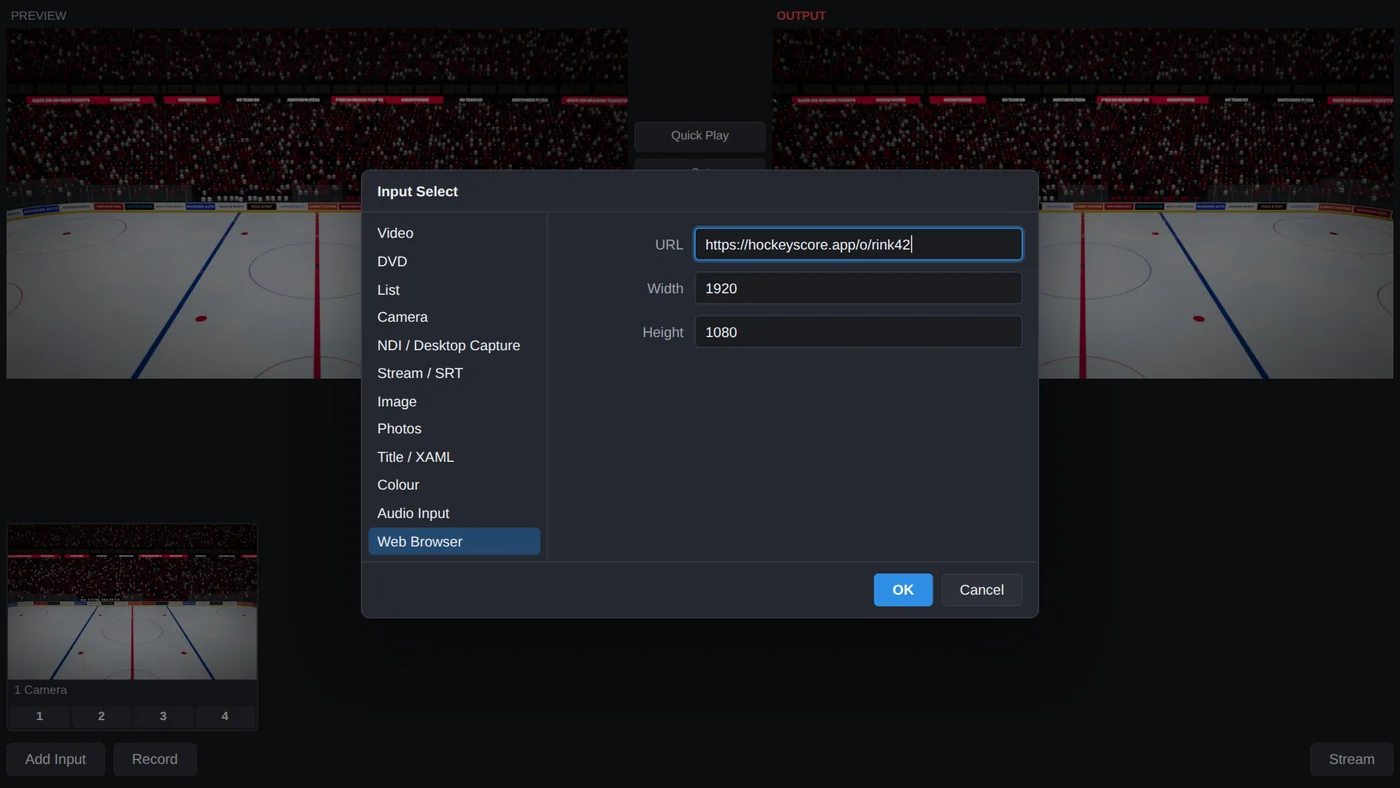
- Click Add Input in the bottom corner and choose Web Browser.
- Paste the link into URL. Set the size to
1920×1080(or match your output size), then click OK.
Put it over your cameras
Under the new input, click overlay button 1. The scoreboard now sits on top of whatever input is live, so you can cut between cameras and it stays put. Click 1 again to take it off.
The background of the page is see-through, so there's nothing to key out.
Keep score
Run the controls from a phone at the glass, or open them in a browser on another computer. See Share the controls.