
Streaming apps
Add your scoreboard to Ecamm Live
Ecamm Live on Mac adds the scoreboard as a widget overlay. Tick one box and it fills the frame.
Add the widget
- Copy your overlay link from your scoreboard home.
- In Ecamm Live, open the Overlays menu and choose New Widget Overlay. You can also drag the link straight onto the main window.
- Paste the link into URL and name it
HockeyScore. - Tick Fill Entire Frame and add the widget.
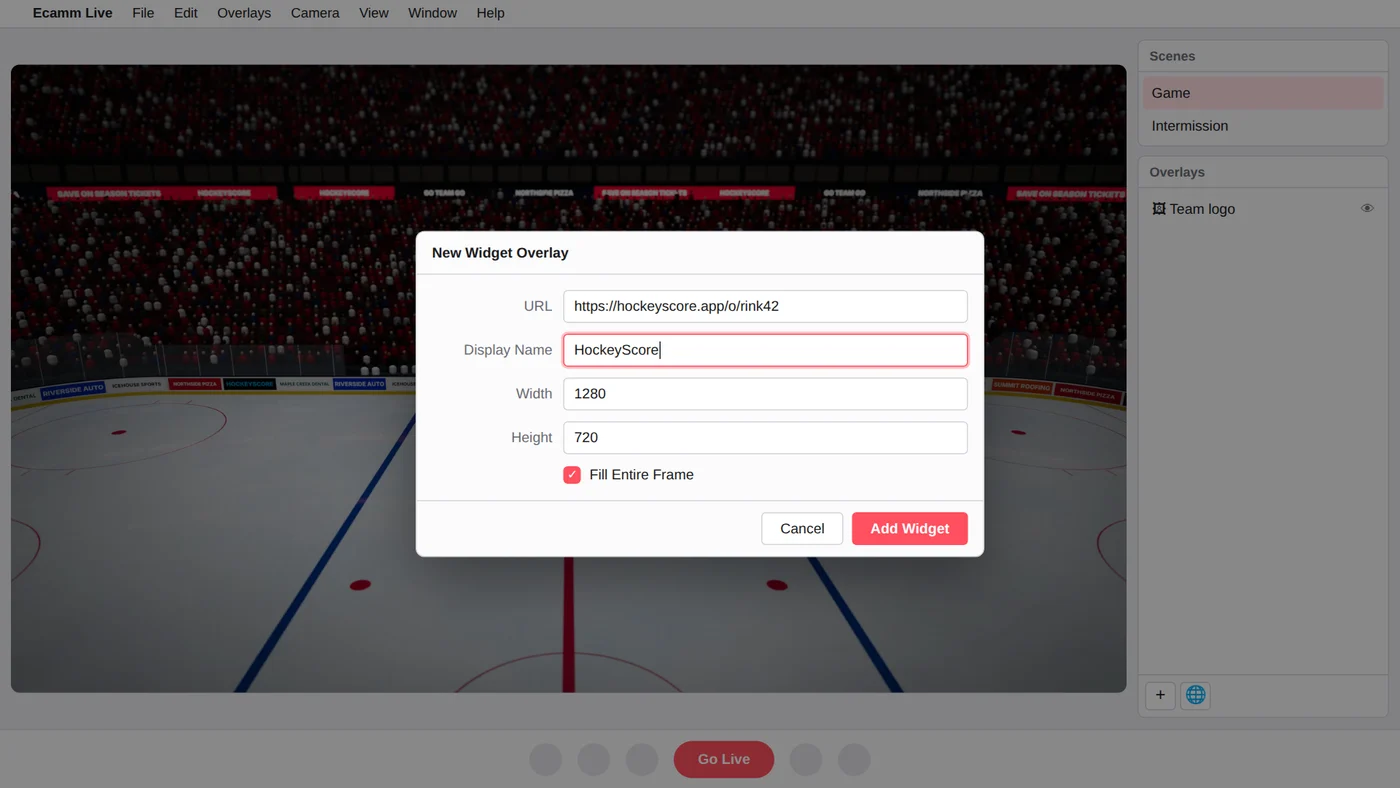
Fill Entire Frame lines the scoreboard up with your broadcast exactly and stops it getting moved by accident. The background is see-through, so only the scoreboard shows.
Use it in your scenes
Overlays belong to a scene. If you have a separate intermission or pre-game scene, add the same widget there too, and the scoreboard will show the right thing at each break.
Keep score
Keep score from your phone while you run Ecamm, or send the controls to a helper. See Share the controls.